 Branding
 Digital Marketing
 Web & App Dev
 IT Services
Why Buying Everyone the Same Computer Is Usually a Mistake
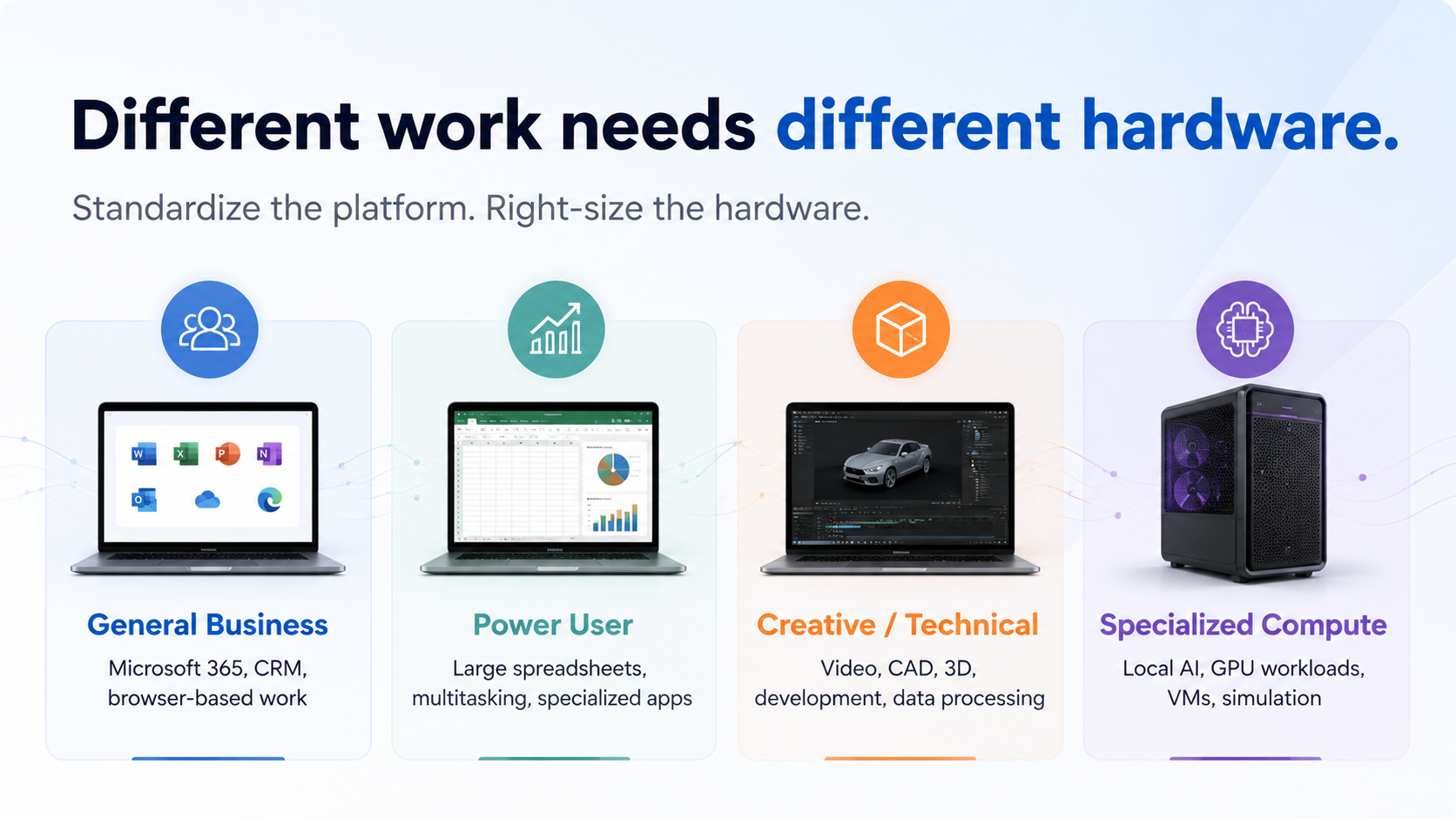
Standardization is usually a good thing in IT because it makes support easier, simplifies purchasing, and makes deployments and troubleshooting more predictable. And that’s precisely why many companies eventually arrive at a very simple hardware policy: everyone gets the same computer.
The problem is that in the real world, people increasingly do very different kinds of work. Someone who spends most of the day in Outlook, Teams, a CRM and a web browser has very different computing requirements from someone editing video, working with large spreadsheets, running development tools, CAD software, or experimenting with local AI.
And by buying everyone the same machine, you can spend too much on employees who don't need the extra performance or too little on the people whose productivity actually depends on it. (Often, both!)
Here’s how to avoid that problem.
Tip #1: Start With the Work
The easiest way to right-size hardware is to start with what someone actually does.
An employee who spends most of the day in Microsoft 365, a CRM and browser-based applications may be perfectly productive on a relatively modest system. Someone editing 4K video, working with large Photoshop files, running virtual machines, using CAD software or processing large datasets may need considerably more performance.
Even then, the answer is not simply to buy a more expensive computer. Different workloads stress different parts of a system.
A developer running several virtual machines may need more memory. A video editor may benefit most from a stronger GPU. Someone working with very large files may need faster storage, while an employee who travels frequently may care more about battery life and weight.
The goal is to understand where the actual constraint is and spend money there.
This also means hardware should not be assigned based on seniority. An executive may benefit from a premium laptop because it is lighter, more reliable and has better battery life, while a designer or developer may genuinely need far more computing power.
Tip #2: Some Computing Resources Can Be Shared
Not every specialized workload requires a more powerful computer on every desk.
AI is a good example. Despite all the “AI-enabled” laptops and machines you see in ads, most employees using cloud-based tools such as ChatGPT or Microsoft Copilot do not need particularly powerful local hardware because the processing happens elsewhere.
Specialized workloads such as testing, simulation, rendering and local AI can sometimes be handled through shared workstations, servers or virtual machines instead of upgrading everyone. In other words, someone can use a normal laptop for everyday work and access more powerful computing resources only when they actually need them.
Tip #3: Look Beyond the Purchase Price
Right-sizing does not always mean buying cheaper hardware. A $1,500 computer that slows an employee down every day may ultimately cost more than a $2,500 computer that lets that person work efficiently for four or five years.
The purchase price is only part of the cost. Employee time, IT support, downtime, repairs, replacement frequency, software compatibility and useful life all matter.
The same applies in the other direction. Buying a $3,000 workstation for someone whose work would be handled just as well by a $1,500 computer does not create any additional value.
In our experience, companies should spend where additional computing capability improves productivity, reliability or useful life, and then look for opportunities to repurpose that hardware later instead of replacing it unnecessarily.
Tip #4: Use a Small Number of Hardware Profiles
In practice, most organizations do not need dozens of configurations. Three or four standard profiles are usually enough.
General Business
For Microsoft 365, CRM, accounting applications and browser-based work.
Power User
For larger spreadsheets, heavier multitasking, development tools, moderate creative work and specialized business applications.
Creative / Technical Workstation
For video production, CAD, 3D work, engineering, software development, data processing and other demanding applications.
Specialized Compute
For local AI, GPU-intensive workloads, virtual machines, simulation and other requirements that may be delivered through a workstation, server or shared infrastructure.
Those profiles provide most of the benefits of standardization while still allowing hardware to match the work.
Where FlexHours Fits
Hardware right-sizing can also be a useful part of FlexHours.
We can review how employees actually use their systems, identify where hardware is limiting productivity, and determine where a company may be buying considerably more computing power than it needs. That can include evaluating existing machines, planning replacements, upgrading systems, reassigning equipment, setting up virtual machines and creating shared computing resources.
And when new equipment does make sense, FlexHours clients can also apply their Hardware Credit toward eligible purchases.
This way, we help you put the right computing resources in the right place, whether that means a basic laptop, a very powerful workstation, or shared computing resources that employees can access when they need them.
If you’re not sure whether your current hardware is properly matched to how your team actually works, we can help review your existing systems, identify where upgrades or reassignments make sense, and build a practical hardware plan around your real workloads.
Talk to us about a hardware right-sizing review through FlexHours.