 Branding
 Digital Marketing
 Web & App Dev
 IT Services
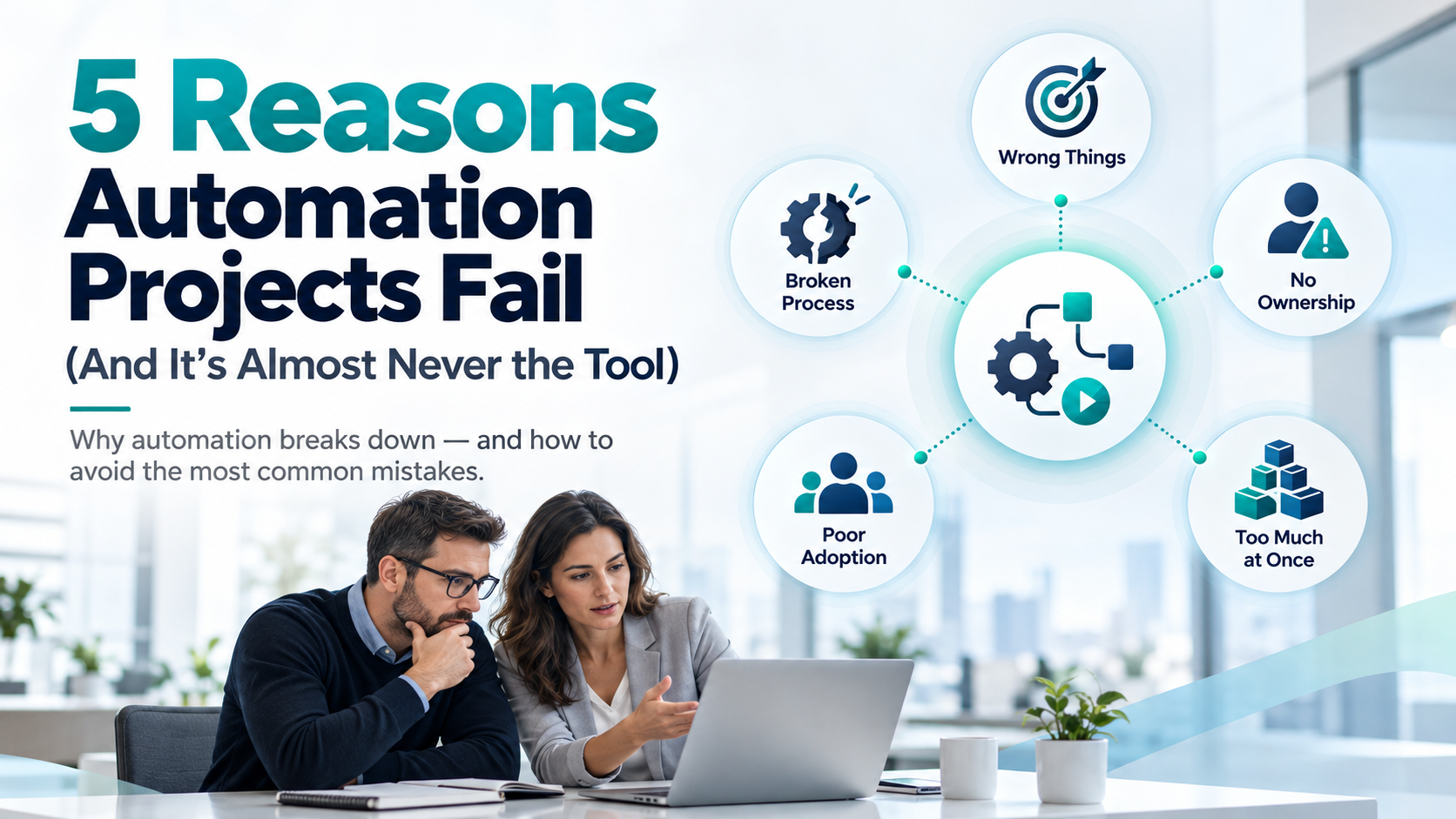
5 Reasons Automation Projects Fail (And It's Almost Never the Tool)
With all the AI and automation tools available today, it's becoming easier and less expensive for businesses to automate work that previously required a lot of manual effort. Tasks that might have required custom software development a few years ago can now be handled through a combination of existing platforms, APIs, AI, and relatively simple scripts.
But just because something can be automated doesn't mean the automation project will succeed.
In many cases, the technology itself isn't the problem. Automation projects fail because businesses choose the wrong processes to automate, don't fully understand how those processes work, or underestimate what it takes to keep an automation running after it's been launched.
Here are five common reasons automation projects fail and what businesses can do to avoid them.
1. Automating the Wrong Things
One of the easiest mistakes to make is choosing what to automate based on how easy or interesting it would be to build rather than how much business value it would create.
For example, a company might spend time automating a task that takes an employee five minutes a week while overlooking another process that consumes several hours every day. Both might be technically possible to automate, but the potential return on investment is very different.
This is becoming an even bigger issue with AI because the barriers to building automation are getting lower. It's tempting to start creating things simply because we now have the tools to do so.
Before committing to an automation project, businesses should look at how frequently the task is performed, how much time it consumes, how often mistakes occur, and what the consequences of those mistakes might be. They should also consider whether the automation could improve customer experience, reduce delays, or allow employees to focus on more valuable work.
As we like to say at Smartt, you want to do the right things right, at the right time. Therefore, the goal should be to first automate the things that create the most value.
2. Automating a Broken Process
Automation doesn't automatically improve a poorly designed business process. In fact, it can make the problems worse by allowing them to happen faster and more consistently.
Consider a company where purchase approvals involve multiple spreadsheets, email exchanges, undocumented exceptions, and employees who have developed their own workarounds. Simply automating that workflow could result in a complicated system that reproduces all the inefficiencies of the original process.
Before building an automation, it's worth taking the time to understand how the process actually works, rather than how management assumes it works. That means talking to the people who perform the work, identifying exceptions, and determining which steps are necessary and which ones exist simply because that's how things have always been done.
Sometimes the biggest improvement comes from eliminating unnecessary steps before writing a single line of code.
Businesses should also distinguish between processes that can be handled through predictable, rule-based automation and those that require judgment. Traditional deterministic automation is often the better choice when rules are clear and outcomes need to be consistent. AI can be useful when a process involves interpreting documents, handling unstructured information, or making contextual assessments, but it also introduces additional considerations around accuracy, validation, and oversight.
The better approach is to redesign the process first and then determine which parts should be automated, whether through conventional software, AI, or a combination of both.
3. Nobody Owns the Automation After Launch
It's easy to think of automation as something that gets built once and then runs indefinitely. In practice, most automations depend on other systems, business rules, APIs, websites, and data structures that will change over time.
A CRM integration might stop working because a field was renamed. A website automation might break after a redesign. An API provider might change its authentication requirements. An AI-powered workflow might begin producing different results after a model update.
Sometimes these failures are obvious, but the more dangerous ones are silent. An automation might continue running without errors while processing incomplete information, skipping records, or producing incorrect results.
This is why every automation needs an owner, even if that owner isn't the person who originally developed it.
Businesses should establish a process for monitoring automations, identifying failures, reviewing results, and maintaining integrations as underlying systems change. Depending on the importance of the workflow, this might involve automated alerts, logging, periodic testing, or a manual review process.
It's also worth considering what happens when the automation fails. If it handles an important business function, there should be a way to recover missed transactions, retry failed operations, or temporarily revert to a manual process.
An automation isn't really finished when it goes live. It becomes another part of the business infrastructure that needs to be managed.
4. Employees Don't Actually Use It
Even a technically perfect automation can fail if employees continue doing things the old way.
Imagine a company that builds an integration to automatically transfer website inquiries into its CRM. The automation works, but the sales team continues entering leads manually because nobody explained how the new process works or why their responsibilities have changed.
The company now has two competing workflows, potentially creating duplicate records, inconsistent information, and confusion about which system should be trusted. This problem becomes more complicated when automation changes people's roles or responsibilities. Employees may be concerned about losing control over a process, making mistakes, or even having their jobs replaced. Simply introducing a new tool doesn't address those concerns.
Successful automation requires involving the people who use the process, ideally before development begins. They can help identify exceptions that management or developers might overlook, and their participation makes it more likely that the final solution will reflect how the business actually operates.
Once the automation is launched, employees need clear instructions about what has changed, what they are still responsible for, and what to do when something doesn't work as expected.
Businesses should also measure whether the automation is actually being used and whether employees are continuing to perform unnecessary manual work alongside it.
5. Trying to Automate Too Much at Once
Automation projects have a tendency to grow beyond their original scope, especially once people realize what else might be possible.
A project that starts with automatically sending overdue invoice reminders can quickly expand into payment reconciliation, customer account reporting, collections management, and integration with accounting software.
Each of those additions might make sense individually, but combining them into a single project increases complexity. More systems need to communicate, more exceptions need to be handled, and more testing is required before anything can be launched.
AI-assisted development has made this temptation even stronger. When adding another feature appears to be just a few prompts away, it's easy to underestimate the work involved in validating, integrating, securing, and maintaining it.
A better approach is to break larger automation initiatives into smaller, manageable phases with clearly defined outcomes.
Start with a process that delivers measurable value, build it, test it, and put it into production. Once it's working reliably, evaluate the next opportunity.
This doesn't mean businesses shouldn't think about the bigger picture. In fact, having an overall automation roadmap helps ensure that individual projects fit together rather than creating disconnected systems. But the roadmap doesn't need to be implemented all at once.
It's usually better to have three smaller automations working reliably than one ambitious project that's still unfinished six months later.
Automation Is a Business Improvement Project, Not Just a Technology Project
One of the biggest changes brought about by AI is that building software and automation is becoming much more accessible. Businesses no longer need to justify every automation project against the cost of a large custom development engagement. That's a significant opportunity, but it also means businesses need to be more disciplined about deciding what to build.
The hard part is increasingly less about whether the technology can perform a task and more about understanding which problems are worth solving, how the business process should work, and how the automation will be managed over time.
The companies that get the most value from automation won't necessarily be the ones that build the most automations. They'll be the ones that consistently identify worthwhile opportunities, implement them properly, and make sure they continue delivering value.
How Smartt Helps
At Smartt, we help businesses identify the processes worth automating, improve how those processes work, and implement reliable solutions using software, integrations, AI, and automation tools. Through our FlexHours program, we can also help maintain and improve these automations as your business evolves. If you're interested in learning more, please get in touch!